
What to Look for in a Modern Field Service App
Your field team doesn't work in a conference room. They work in basements, on rooftops, in facilities with zero cell service, and in front of clients who need documented proof that a job was done right. The tools they carry need to match that reality.
Not every field service app is up to the task.
This guide breaks down the six capabilities that separate a capable, modern field service app from software that just adds friction to your workflow — and what to look for when you're evaluating options for your team. AssetPool has all the below features to make it a perfect choice when looking for a field service app.
1. Offline Functionality: The Feature That Makes Everything Else Possible
Facilities management teams working in parking garages, fire protection crews inspecting underground systems, technicians inside dense manufacturing plants — connectivity is never guaranteed.
Offline functionality isn't a bonus feature. It's the foundation. When your team is in the field, the app should work exactly as expected whether or not there's a signal. That means:
- The ability to capture photos, complete checklists.
- No data loss.
When evaluating field service management workflows, ask vendors specifically how their offline mode handles conflicts — what happens when a technician updates a record offline while a dispatcher has made changes from the office? The answer tells you a lot about how seriously the product was engineered for real field conditions.
2. Photo Capture and Annotation: Documentation That Speaks for Itself
Written descriptions of asset conditions are useful. A timestamped, geotagged photo is better. Both together are what defensible documentation looks like.
Modern digital inspection software treats photo capture as a first-class workflow step, not an afterthought. Look for an app that allows technicians to:
- Attach photos directly to specific line items within a checklist — not just to a job in general
- Annotate images with arrows, text, or highlights to call out specific defects
- Capture multiple images per asset or finding, with automatic metadata (timestamp, GPS coordinates, device ID)
- Access photos immediately in reports without manual file management
For industries like fire protection, construction, and healthcare facilities, photo documentation frequently serves as evidence during audits and insurance reviews. If the app can't produce clean, organized photo records linked to specific inspection findings, it's not built for serious compliance use cases.
3. GPS Tracking: Accountability and Operational Visibility
GPS tracking in a field service app serves two distinct purposes: protecting your team and improving your operations.
For dispatchers and operations managers, real-time location data answers the questions that used to require a phone call. Where is the nearest technician to this emergency call? Has the crew arrived on site? Did they complete the job before leaving?
For technicians, GPS provides an automatic record that they were present — useful when clients dispute a visit, when insurance requires proof of response time, or when compliance audits demand documented site attendance.
The key things to look for:
- Real-time location tracking visible to dispatchers and managers
- Automatic job start/stop timestamps tied to GPS location — not self-reported
- Route history so supervisors can verify travel and optimize future scheduling
- Privacy controls that allow tracking to be scoped to working hours only
Rental equipment companies, facilities management firms, and multi-site inspection teams in particular benefit from GPS-integrated dispatch — it removes the guesswork from scheduling and creates a verifiable chain of custody for every service visit.
4. Digital Signatures: Closing the Loop on Every Job
A completed inspection or service call without a signature is an incomplete record. Digital signatures collected in the field — from clients, property managers, or inspectors — close the documentation loop in a way that paper-based sign-off simply can't match.
Inspection compliance requirements increasingly demand proof that work was reviewed and approved at the point of completion. Look for a field service app that captures:
- Client or site contact signatures on work orders and inspection reports at job close
- Technician sign-off confirming the accuracy of inspection findings
- Timestamped, legally binding signature records stored in the cloud and attached to the relevant job
- The ability to collect signatures while offline, with sync on reconnection
For fire protection teams performing NFPA 25 or NFPA 72 inspections, digital signatures on completion reports are a compliance expectation, not a nice-to-have. The same applies to facilities management teams operating under OSHA maintenance requirements. The app should make signature collection fast and painless — not a 12-tap process at the end of a long shift.
5. Inspection Checklists: Structure That Scales
Most field service teams need their checklists to do more than tick boxes. They need dynamic forms that adapt to what the technician finds, route conditional questions based on previous answers, and produce structured data — not free-text notes that someone has to interpret later.
The best digital inspection software gives teams the ability to build and deploy checklists that match their specific asset types and industry requirements, including:
- Customizable inspection templates for different asset classes (HVAC, fire suppression systems, electrical panels, rental equipment)
- Conditional logic — if an asset fails a check, additional fields appear for defect details, corrective action, and photo attachment
- Pass/fail/N/A scoring with automatic flagging of critical findings
- Real-time completion tracking so supervisors know which assets have been inspected without waiting for submitted reports
- Templates aligned to regulatory standards like NFPA 25, NFPA 72, and ISO 55000 for organizations that need compliance-ready records
When a technician's checklist responses automatically populate a formatted report — rather than being transcribed by hand later — you've eliminated one of the most common sources of error and delay in field service management. The inspection and the documentation become the same action.
Frequently Asked Questions
What is a field service app?
A field service app is mobile software used by technicians, inspectors, and field crews to manage work orders, document asset conditions, capture photos, collect signatures, and report on job completion — all from a smartphone or tablet in the field. Modern field service apps are designed to work in offline environments and sync data automatically when connectivity is restored.
Why is offline functionality important in a field service app?
Field teams frequently work in locations with limited or no cellular coverage — underground systems, dense facilities, rural sites. Offline functionality ensures technicians can access checklists, complete inspections, capture photos, and collect signatures without interruption, with data syncing automatically once a connection is available. Without it, teams revert to paper backups, which defeats the purpose of digital tools.
What is digital inspection software?
Digital inspection software replaces paper-based inspection forms with structured, mobile-accessible checklists that guide technicians through asset assessments, capture photographic evidence, apply conditional logic based on findings, and generate formatted compliance reports automatically. It is used across industries including fire protection, facilities management, construction, healthcare, and manufacturing.
Do field service apps support compliance inspections like NFPA 25 or ISO 55000?
Yes — purpose-built field service apps designed for regulated industries include inspection templates aligned to standards like NFPA 25 (water-based fire protection), NFPA 72 (fire alarm systems), and ISO 55000 (asset management). These templates ensure technicians capture required data points and generate audit-ready records that meet regulatory documentation requirements.
How does GPS tracking work in a field service app?
GPS tracking records technician locations in real time, logs site arrival and departure times, and provides route history for supervisors. This data is used for dispatch optimization, response time verification, and creating a documented record of site attendance — particularly valuable for compliance audits and client disputes.
Can field service apps generate reports automatically?
Modern field service apps generate formatted, client-ready or compliance-ready reports automatically at job completion, pulling data from completed checklists, captured photos, technician notes, and digital signatures. This eliminates manual report writing and reduces the time between inspection completion and documentation delivery.
Related Posts
.png?width=393&height=200&name=safetyculture-alternatives-blog%20(1).png)
SafetyCulture alternatives
SafetyCulture (formerly iAuditor) is one of the best-known inspection apps in the world. It is easy to use, has a large template library and offers a...
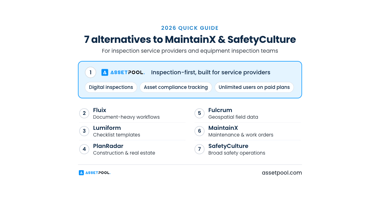
7 Best MaintainX and SafetyCulture Alternatives in 2026
MaintainX and SafetyCulture both earned their reputations in maintenance and safety checklists. But if your work centers on inspections, compliance...

CAN/ULC-S536 Reporting Requirements: Canadian Fire Professionals
Our software is used by Canadian fire departments, fire alarm service companies, and organizations across Canada to manage inspections, assets,...